
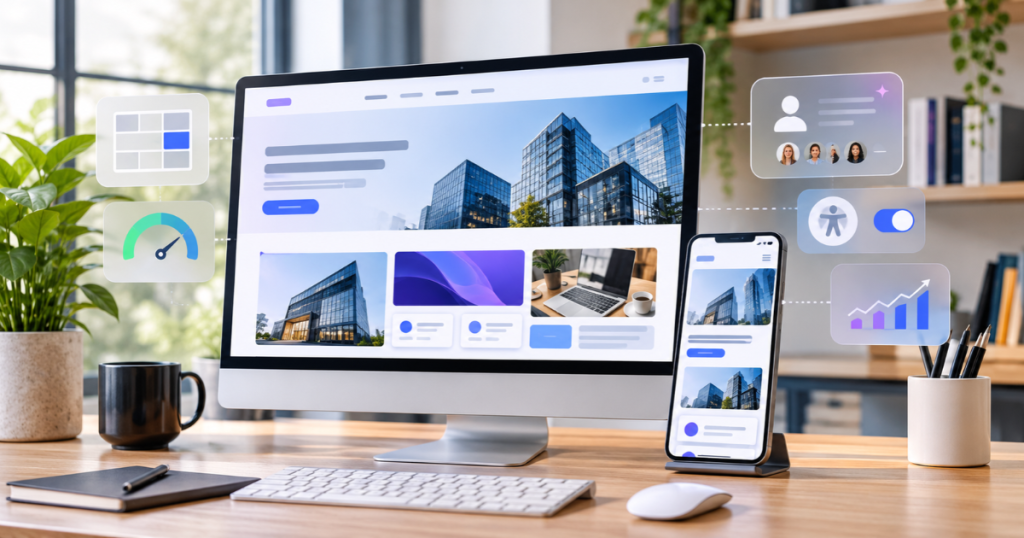
Your website is often the first impression customers have of your business. If it looks outdated, loads slowly, or makes information difficult to find, visitors may leave before exploring your products or services.
Modern website design is about more than appearance. It combines usability, accessibility, performance, and visual consistency to create experiences that help visitors trust your brand and take action.
Understanding the latest website design trends can help businesses identify useful improvements without following every new design style.
Here are eight important trends businesses should know.
Key Takeaways
- Prioritize simple layouts, clear navigation, and mobile-friendly experiences.
- Improve customer trust through accessible, fast, and engaging website design.
- Choose trends that support your business goals rather than following trends blindly.
1. Minimalist Website Design
Minimalist design focuses on clean layouts, purposeful spacing, simple navigation, and clear messaging. It removes unnecessary elements so visitors can concentrate on important information.
Business Benefits:
- Makes content easier to understand.
- Highlights important services and calls to action.
- Creates a professional brand appearance.
- Reduces visual distractions.
How to Apply It: Use a consistent colour palette, readable typography, sufficient white space, and clear page sections. Make your primary message and enquiry button easy to find.
2. Bento Grid Layouts
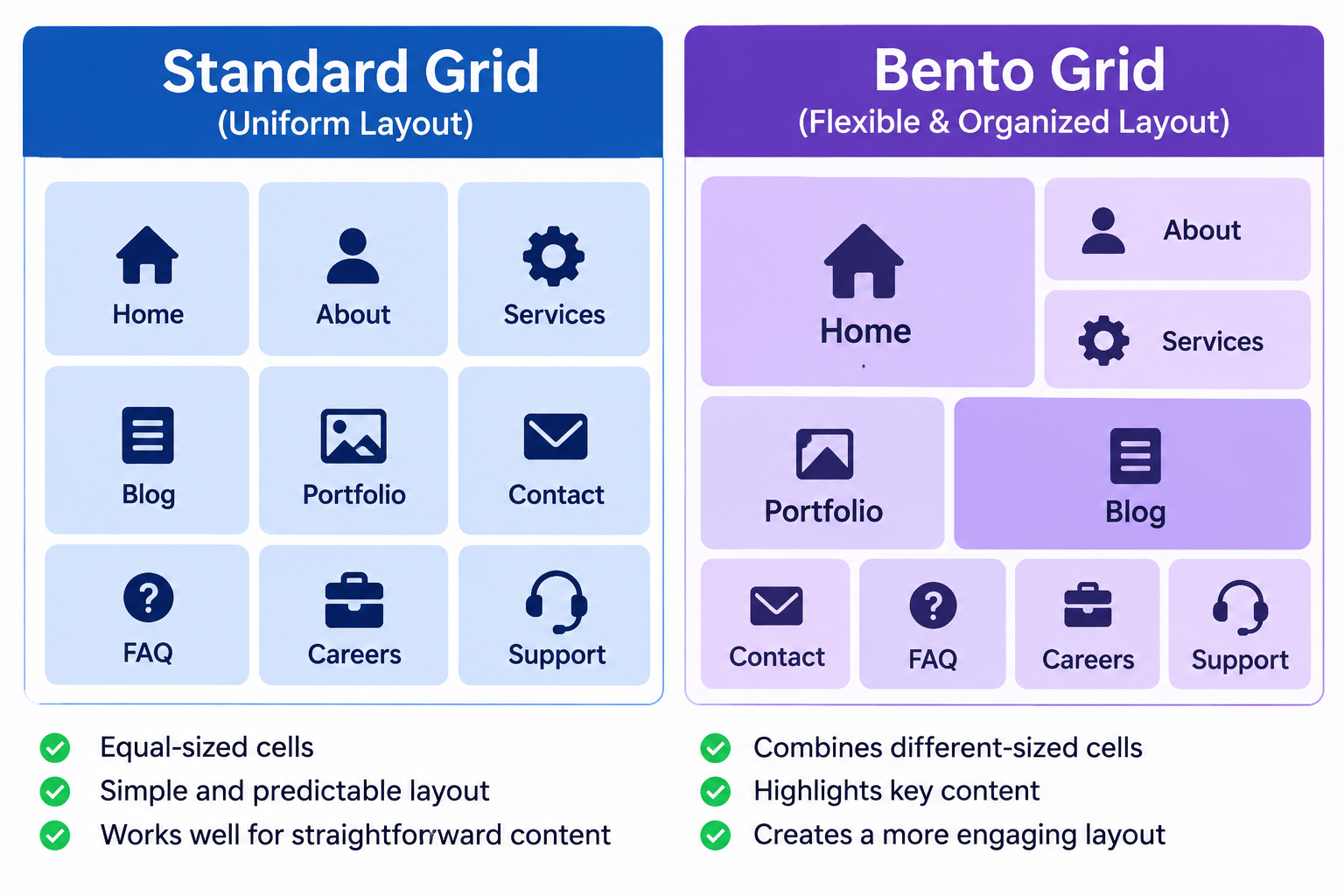
Bento grid layouts organize website content into cards of different sizes. Businesses can use them to showcase services, product features, achievements, and important information in a structured visual format.
Real-World Example: Apple’s product pages demonstrate how distinct content sections and visual hierarchy can help visitors explore product features.
Business Benefits:
- Organizes multiple services or features.
- Makes important information easier to scan.
- Creates visually engaging page layouts.
How to Apply It: Give your main service or product the most prominent space, then use smaller cards for supporting information.
3. Bold Typography and Strong Visual Identity
Typography plays an important role in how visitors recognize and understand your brand. Bold headlines, consistent font combinations, and clear text hierarchy can make website content more engaging.
Business Benefits:
- Strengthens brand identity.
- Highlights important messages.
- Improves content readability.
- Helps visitors scan information quickly.
How to Apply It: Choose readable fonts that reflect your brand personality. Use clear headings and consistent text sizes across desktop and mobile devices.
4. AI-Powered Personalization
AI-powered personalization helps websites deliver more relevant experiences based on visitor preferences, browsing behaviour, or previous interactions.
Examples include personalized product recommendations, relevant content suggestions, and AI-powered chat assistance.
Business Benefits:
- Helps visitors discover relevant products or services.
- Supports personalized recommendations.
- Makes large websites easier to explore.
How to Apply It: Start with a practical use case, such as product recommendations or a chatbot that answers common customer questions. Consider data privacy and transparency when implementing these features.
5. Micro-Interactions and Purposeful Animations
Micro-interactions are small responses that make website actions easier to understand. Examples include button feedback, form confirmation messages, and smooth menu transitions.
Real-World Example: Stripe provides a useful reference for polished digital interface experiences and subtle interactive design.
Business Benefits:
- Provides feedback after user actions.
- Makes navigation more intuitive.
- Improves interaction clarity.
- Creates a more responsive experience.
How to Apply It: Add useful hover effects, form validation messages, and clear submission confirmations. Avoid excessive animations that slow down the website.
6. Mobile-First and Responsive Design
A responsive website adjusts its layout to different screen sizes, while mobile-first design considers mobile usability from the beginning.
Business Benefits:
- Improves mobile browsing.
- Makes navigation easier.
- Keeps content readable across devices.
- Helps visitors access contact forms and important information.
How to Apply It: Use flexible layouts, readable text, accessible buttons, and mobile-friendly navigation. Test important website pages on different screen sizes.
7. Accessibility-First Website Design
Accessibility-first design makes websites easier to use for people with different abilities and browsing needs.
Important practices include readable typography, keyboard navigation, descriptive image text, clear forms, and sufficient colour contrast.
Business Benefits:
- Creates more inclusive experiences.
- Improves content readability.
- Supports assistive technologies.
- Makes website navigation clearer.
How to Apply It: Follow recognized accessibility guidelines such as WCAG 2.2. For example, normal text generally requires a contrast ratio of at least 4.5:1, while large text requires at least 3:1, subject to specified exceptions.
8. Performance-First Website Design
Website performance directly affects how smoothly visitors can browse and interact with your pages. Slow loading, delayed responses, and unexpected layout shifts can create a frustrating experience.
Google’s Core Web Vitals provide useful performance benchmarks.
| Metric | Recommended Good Target |
| LCP (Largest Contentful Paint) | 2.5 seconds or less |
| INP (Interaction to Next Paint) | Less than 200 milliseconds |
| CLS (Cumulative Layout Shift) | Less than 0.1 |
How to Apply It: Optimize images, reduce unnecessary scripts, use efficient fonts, and avoid heavy animations that do not improve usability.
These improvements can support a smoother browsing experience and better website performance.
Which Website Design Trends Should Your Business Prioritize?
Not every business needs every trend. Choose improvements according to your website’s existing problems and business objectives.
| Business Challenge | Recommended Design Priority |
| Cluttered website | Minimalist design |
| Too much information on one page | Bento grid layouts |
| Weak brand presentation | Bold typography |
| Need for relevant recommendations | AI personalization |
| Unclear user interactions | Micro-interactions |
| Poor mobile experience | Responsive design |
| Difficult-to-read content | Accessibility-first design |
| Slow website | Performance optimization |
Start by improving essential elements such as mobile usability, accessibility, and performance. Then focus on visual improvements and advanced features where they provide genuine value.
How to Measure Website Design Improvements
A website redesign should deliver more than visual changes. Track relevant metrics to understand whether your improvements are helping visitors.
Important metrics include:
- Conversion rate: Measures how many visitors complete desired actions.
- Enquiry submissions: Tracks potential customer enquiries.
- CTA clicks: Shows whether visitors interact with important buttons.
- Mobile usability: Helps identify issues on smaller screens.
- Core Web Vitals: Measures loading, responsiveness, and visual stability.
Review these metrics before and after major design changes to evaluate their impact.
Frequently Asked Questions
What are the biggest website design trends in 2026?
Important trends include minimalist layouts, bento grids, bold typography, AI personalization, micro-interactions, responsive design, accessibility, and performance-focused design.
Why are website design trends important for businesses?
They help businesses improve website usability, strengthen brand identity, and create better experiences for potential customers.
Which website design trends are best for small businesses?
Responsive design, minimalist layouts, clear typography, accessibility, and website performance are practical priorities for most small businesses.
Do website design trends affect SEO?
Website usability, mobile experience, and performance can support a better user experience. However, following visual trends alone does not guarantee higher search rankings.
Should every business follow all website design trends?
No. Businesses should select trends according to their audience, website requirements, and objectives.
Modernize Your Website with Amron Software
A modern website should do more than look attractive. It should communicate your value, make information easy to find, and guide visitors toward meaningful actions.
By adopting the right website design trends, businesses can create more engaging, accessible, and user-friendly digital experiences.
At Amron Software, we focus on creating website experiences that combine thoughtful design, usability, and business objectives.
Ready to improve your online presence?
Modernize Your Website. Create Better Experiences. Move Your Business Forward with Amron Software.
Explore our Design Services and website solutions.